

October

26Oct

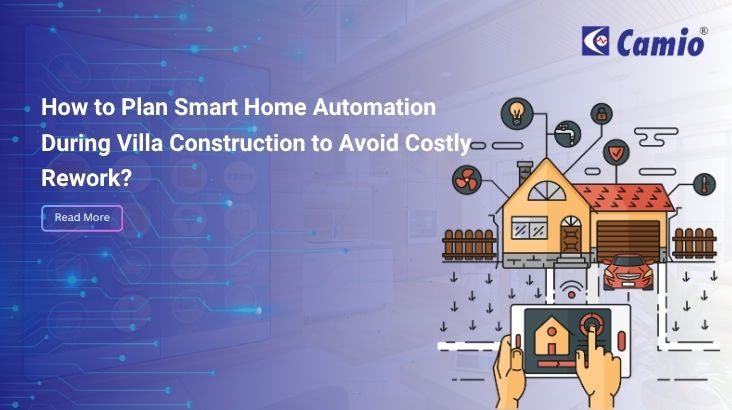
How to Plan Smart Home Automation During Villa Construction to Avoid Costly Rework?

by admin

When you are building your villa, it’s the right time to get every detail in place. If that’s the case, then why leave smart home automation until the walls are up and the interiors are done? Just imagine the trouble you will have to go through for redoing the entire electrical wiring just because you forgot to plan motorized curtains, automated climate control, or voice-enabled lighting conduits. That’s money spent unnecessarily in fixing something that could have been done prior. The trick here is to focus on smart home automation during villa construction only, not after you have the structure upright. That being said, let’s explore how you can proceed with the work and prevent yourself from succumbing to the clutches of a costly rework.

Decide Which Smart Home Features Your Villa Needs

The first step is to decide what types of smart home automation features you want to add to your villa. For this, begin with the day-to-day routines that you plan to automate, not just prepare a catalog of advanced devices. Decide whether you want to invest in:

  1. Scheduled lighting system
  2. Occupancy-based AC control
  3. Motorized window curtains
  4. Video-integrated doorbell system
  5. Perimeter camera for surveillance
  6. Automated gating technology

If you are worried about how to plan smart home automation for a new villa, make sure to identify where to put each of these features and mark the zones where you do not need automation yet. Once you have the features finalized, determining the electrical requirements, device quantities, and budget will become much easier for you.

Coordinate Automation Plans With Your Architect and Electrical Layout

Before you start electrical work for the villa, talk with your architect about the drawings and the villa automation plan. This will allow you to:

  1. Mark smart switches against furniture positions
  2. Decide where sensors can be positioned against ceiling layouts
  3. Plan control panels against accessible service areas

Check if the curtain tracks have enough motor space and that the wardrobes or long cabinets won’t obstruct your access to sensors and smart switches.

Plan Wiring, Conduits, Power Points, and Network Connectivity

Before your contractor closes the walls and ceilings, make sure to specify the infrastructure each smart device will need. For smart switches, check if there’s adequate black box depth and availability of neutral wires. As for access points and suitable camera connections, check if you have space to install Ethernet cables. Before plastering, take some photos of the concealed routes and label all the necessary cables, which will be further used to power your home automation systems.

Integrate Smart Lighting, HVAC, Curtains, and Security Systems

You will have to decide how each of these smart villa automation systems will interact with one another for the convenience you desire. For example, you can configure the smart lights in a way that they will automatically get dimmer once evening settles in. Similarly, the HVAC system can be programmed where the outside temperature automatically adjusts the thermostat settings. However, to ensure you get these benefits, check the following before purchasing the hardware:

  1. Dimmer-driver compatibility
  2. AC control interfaces
  3. Curtain motor requirements
  4. Security-system integrations

Select a Compatible Smart Home Automation System

Always choose a feasible home automation Kerala platform or control architecture based on your required smart features. For this, check if the selected lighting controls, curtain motors, sensors, or AC equipment can be connected with the system. If integrations are needed, validate if you need to pay for additional licenses or gateways.

Conclusion

The moment you decide on home automation planning, even a delay by one or two days can push the entire construction routine back. So, rather than waiting till the structure is completely constructed, begin the work from the beginning. From deciding the key components of the smart housing system to gathering all the necessary devices and accessories, the earlier you complete, the better the outcomes will be.
16Oct

ABB KNX vs RTI Automation: Which System Is Right for Your Property?

by admin

ABB KNX is a wired and open standard control system while RTI is a control system with proprietary touch screens. Understanding the ABB KNX vs RTI home automation differences will help you make the best decision without any expensive retrofitting. Below are ten comparisons that will help you pick the appropriate system for your premises.

What Are the Key Differences Between ABB KNX and RTI Automation?

KNX and RTI automation systems comparison involves ten aspects that are most relevant for home users. Every issue discussed below will show how the platforms coincide and differ.

●      System Architecture and Automated Process

In KNX automation, the intelligence is dispersed across the wired bus; therefore, no single device manages the entire network. On the other hand, RTI uses a central control processor that manages all subsystems and routines.

●      Lighting and Shading Systems

KNX manages dimming, scene settings, and blind operation through a single bus, thus keeping everything in sync. Similarly, RTI also offers scenes in one tap for reading, cooking, and movies, making the smart home automation more personalized.

●      HVAC and Climate Control

KNX and RTI both control your thermostat and air conditioning system. This will ensure that each room is cooled when in use. This is because, according to ENERGY STAR, certified smart thermostats reduce electricity bills by about 8%. Therefore, energy savings are achieved using both systems, with KNX being more efficient in individual room control.

●      Audio and Video Systems

RTI home automation system performs well in such conditions, as it offers music in all rooms along with specific remotes for home theaters. KNX can handle some simple audio/video triggers, and therefore it is often used with a control processor.

●      Security and Access Control

KNX incorporates door contacts, motion detectors, and alarm sensors for lighting control and gate operation without the need for additional hubs. Moreover, RTI displays camera and door images on the touch panel, enabling the homeowner to monitor visitors from afar.

●      Compatibility of Devices and System Integration

The KNX protocol can work with equipment from numerous companies, and hence there is little trouble when making replacements. ABB KNX vs RTI home automation does not always have to be an either/or situation, considering RTI has KNX/DALI capabilities.

●      Control Interface and User Controls

KNX provides wall keypads and touch panels and frequently includes an app as part of the installation via an IP gateway. However, RTI designs tailored screens for iPad, Android devices, and wall panels based on family behavior.

●      Customization and Personalization

KNX home automation offers extensive tailoring using ETS software for programming the logic, schedules, and scenes. On the other hand, RTI provides a tailored visual experience as the screens and scenes are programmed for each household by an accredited technologist.

●      Scalability to Diverse Properties

In terms of scalability between ABB KNX and RTI automation, the choice should be given to ABB KNX. It has a line and area topology that is appropriate for larger buildings. RTI automation scales easily for villas and showrooms.

●      Installation and Programming Considerations

Both home automation systems require precise wiring plans; hence, installers have to plan the wiring design before the completion of construction work. Lastly, KNX requires ETS programming, but there are some ABB KNX systems that offer a 25-year warranty and no annual cost.

Which Automation System Is Right for Your Property?

KNX should be chosen in case your building is vast, multilevel, or requires long-lasting performance. When choosing between ABB KNX vs RTI automation, RTI is the ideal option if you need a good-looking UI, entertainment, and scenes. If a stylish user interface, entertainment, and scheduled scenes are required, then RTI must be selected. That’s why most homeowners use both systems, with KNX being the foundation and RTI being the added functionality.

Conclusion

Overall, KNX gives you wired, distributed dependability and scalability, and RTI gives you precision control, entertainment, and customization. They both offer everything from lighting to security to entertainment, so let your building size, budget, and style be your deciding factor.

7Oct

A Complete Guide to Home Automation Protocols Wi-Fi, Zigbee, Z-Wave, and KNX

by admin

Imagine a house that runs its lights, locks, and temperature control without any effort on your part while you take care of your daily routines. This ease can only come through the underlying technologies working properly. In this guide, all home automation protocols explained in an easy-to-understand way, including their communication process and areas of use.

Why Are Automation Protocols Essential in a Smart Home?

The choice of home automation protocols determines the ability of the sensor, switch, or lock to communicate with other components of the system. The absence of a shared language leads to isolation and not integration in one single network, and it definitely costs a lot for the industry.

The global market of smart homes is expected to rise to $250.6 billion by 2029. This steady upward trend demonstrates how important interoperability is for average customers, and not just for installers and integrators anymore.

What Are Some Important Home Automation Protocols?

Several standards have been developed and compete for space within today’s smart home, each catering to various appliances and budget constraints. An understanding of their advantages is essential when making choices.

●     Wi-Fi for Direct Smart Home Connectivity

Wi-Fi enables devices to connect directly to a home router without requiring any additional hub. This is the reason why Wi-Fi home automation is ideal for cameras, televisions, and other equipment that requires high bandwidth. Nevertheless, an excess number of devices connected to Wi-Fi leads to congestion.

●     Zigbee for Low-Power Mesh Networks

Zigbee is a network that operates on self-healing mesh technology; here, the devices operating through mains power act as repeaters to provide wide coverage. Hence, Zigbee is ideal for sensors, switches, and light bulbs that require batteries that last for months. It operates on the 2.4 GHz frequency, like Wi-Fi.

●     Z-Wave for Reliable Wireless Communication

Z-Wave uses the sub-GHz frequency range, thereby cutting down on possible interference from nearby Wi-Fi or Bluetooth gadgets. Its stringent certification procedure makes interworking of products made by various manufacturers easier. Nevertheless, a Z-Wave network can accommodate fewer gadgets than Zigbee.

●     KNX for Wired Building Automation

The KNX home automation employs a wired network, hence offering predictable operation that is hard to match by any wireless system. This predictability makes it the first choice for use in villas, hotels, and offices with complex requirements. However, installation requires advance planning because the cables have to be laid before the walls are done.

●     Bluetooth for Short-Range Smart Device Control

Bluetooth and Bluetooth Low Energy are suitable for short-distance jobs like unlocking the door or pairing the phone. As far as smart home protocols go, Bluetooth is distinct for being very simple to use because most times, you don’t need an additional hub. However, its small range is a disadvantage in whole-home automation.

●     Insteon for Wired and Wireless Automation

Insteon integrates wired powerline messages and wireless messages in one system, providing better performance indoors. The use of two pathways for home automation increases the likelihood of receiving a message through one pathway should the other fail. However, due to its diminishing ecosystem, it is becoming less popular.

●     Thread for Low-Power Mesh Networks

Thread offers a new IPv6 Mesh Network for battery-operated locks and sensors with longer battery lifetimes. This particular network was created to serve Matter right from its inception, and hence the reason why it requires a border router and not a hub.

●     Matter for Cross-Platform Smart Home Compatibility

Matter serves as a universal language through which devices from various vendors can operate together alongside Amazon Alexa, Google Home, and Apple Home. According to the Connectivity Standards Alliance, there are thousands of certified Matter products globally. Consequently, consumers are less concerned about the issue of ecosystem lock-in.

Conclusion

In the end, no protocol works best for all cases because wired and wireless technologies have their own advantages and disadvantages. The homeowner can derive the most benefit by ensuring the devices fit well with the appropriate protocol and creating a network using those protocols.

Chat with us